Linear alternatives with time tracking built in: 6 issue trackers compared
Linear alternatives with time tracking built in: YouTrack, ClickUp, Redmine, Plane, Asana and Notch compared on timers, estimates and timesheets.
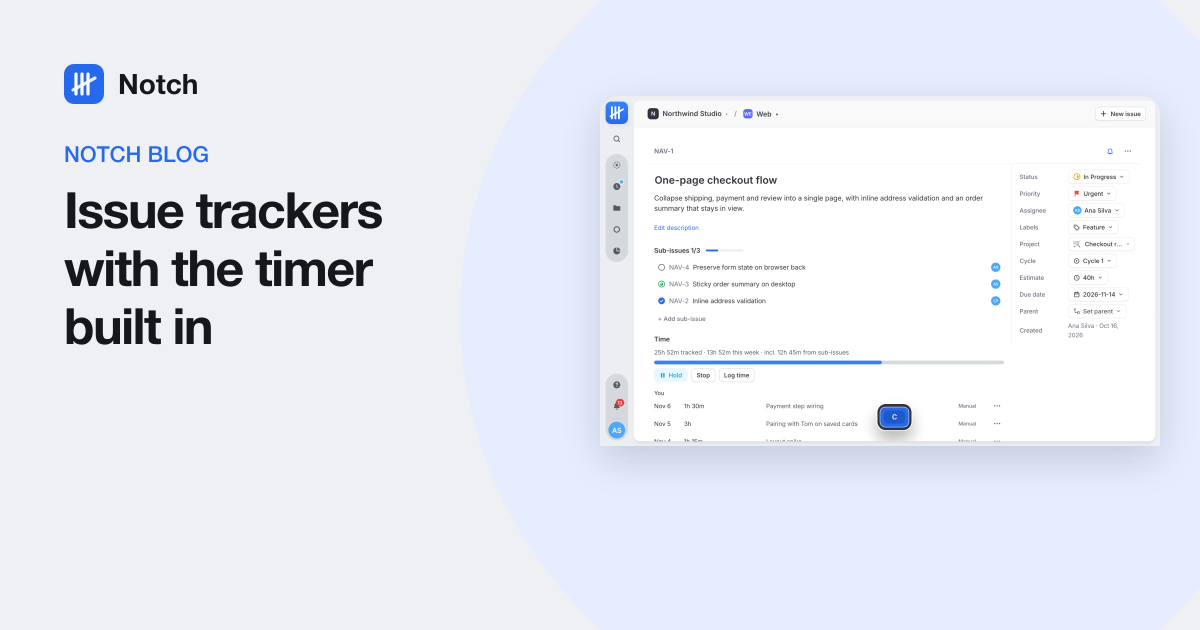
Short answer: if you want Linear alternatives with time tracking built in, look at YouTrack (deep reports and timesheets), Asana and ClickUp (a timer on every task, on paid plans), Redmine (free, self-hosted, hours typed in), Plane (logged hours on its Pro plan) and Notch (a timer, an hour estimate and a weekly timesheet on every issue). If you would rather stay on Linear, add a time tracker to it instead.
Linear is a fine issue tracker, but it has no timer and its estimates are points, not hours. Teams that bill by the hour, or want to know what last cycle really cost, end up pairing it with a second tool. This post is for teams who would rather have one tool that does both. We compared 6 trackers on what matters for hours: how you record time, whether estimates are in hours, and where the timesheet and reports live. Everything below was checked on each vendor's own pages as of November 2026.
If you are happy with Linear and only need hours on top, read our guide to Linear time tracking instead. It covers Everhour, Harvest and the other add-on routes.
Linear alternatives with time tracking, side by side
| Tracker | How time is recorded | Estimates | Timesheet and reports | Plan needed |
|---|---|---|---|---|
| YouTrack | Logged work items; timers through ready-made workflows | Estimation field, compared with spent time | Timesheet report and time reports | Enabled per project |
| ClickUp | Timer on any task, plus manual entries | Time estimates on every plan | Timesheets from Business | Time tracking from Core |
| Redmine | Hours typed on the issue, or in a commit message | Estimated time on issues | Spent time report | Open source, self-hosted |
| Plane | Logged hours on a work item | Not covered in its time docs | Workspace worklogs, Excel or CSV export | Pro and above |
| Asana | Built-in timer, or actual time typed in | Estimated time field | Estimated vs actual chart on dashboards | Advanced and above |
| Notch | One running timer per person (press T), manual entries if allowed | Hours, with an estimate bar on each issue | Weekly timesheet by issue and day; reports with CSV export | Built in |
1. YouTrack
JetBrains' tracker has the most complete time tracking of the six. You switch it on per project, then log work on an issue with the Add spent time form or a command such as add work 2h. The YouTrack time tracking tutorial describes ready-made workflows that add timers: one logs the time an issue spends In Progress, another works like a stopwatch.
Each issue has an Estimation field, and Spent time is calculated from the logged work items, so nobody types a total by hand. The Timesheet report shows time per user or issue by day, week or month, and the Time report puts spent time next to the original estimate.
Watch for: the timer is a workflow you configure, not a button that is there on day one. YouTrack rewards a team that likes to set things up.
2. ClickUp
ClickUp lets you start a timer from any task or from the global toolbar, and every entry is tied to its task. Time estimates are available on every plan. The catch is the plan table: on the ClickUp pricing page, time tracking itself is included from the Core plan (Free gets a trial), and timesheets start at Business.
Watch for: ClickUp is a general work platform with docs, whiteboards, chat and more. Software teams coming from Linear often find it busier than they want.
3. Redmine
Redmine is open source (GPL v2) and self-hosted, and time tracking is a standard module you turn on per project. You log hours from the issue, or at project level by leaving the issue empty. Issues carry an estimated time, and a parent's spent time is the sum of its subtasks'. Developers can even log time in a commit message, such as refs #435 @1h30, if the repository settings allow it (see the Redmine time tracking guide).
Watch for: there is no timer in the core docs, so people type hours after the fact. You also run the server, upgrades and backups yourself.
4. Plane
Plane is the closest in feel to Linear on this list. Its time tracking docs show a Worklogs tab on each work item where you enter hours, minutes and a description, and a Tracked time property that updates itself. A workspace view filters worklogs by person, project and dates and downloads them as Excel or CSV.
On the Plane pricing page, time tracking is a Pro feature, at $6 per user per month billed annually or $8 monthly as of November 2026. Business adds worklog approvals.
Watch for: the docs describe manual entry only, with no timer.
5. Asana
Asana adds estimated time and actual time fields to a project when you turn time tracking on. The Asana time tracking help describes a built-in timer that runs until you pause it, time on subtasks rolling up to the parent, and a dashboard chart comparing estimated with actual time.
It is on Advanced and above. The Asana pricing page lists Advanced at $24.99 per user per month billed annually, or $30.49 monthly, as of November 2026. A separate Timesheets and Budgets add-on is offered for Starter, Advanced and Enterprise.
Watch for: Asana is built for work across a company, not for software teams in particular, and time tracking sits on its second paid tier.
6. Notch
Notch is our tracker, so weigh this section accordingly. It is an issue tracker for software teams of 3 to 30 with time tracking built into every issue. Each person has one running timer, started from the issue or with T. You can hold and resume it, and a forgotten timer stops itself after 8 hours. Estimates are in hours, and each issue shows an estimate bar that fills as time is tracked.
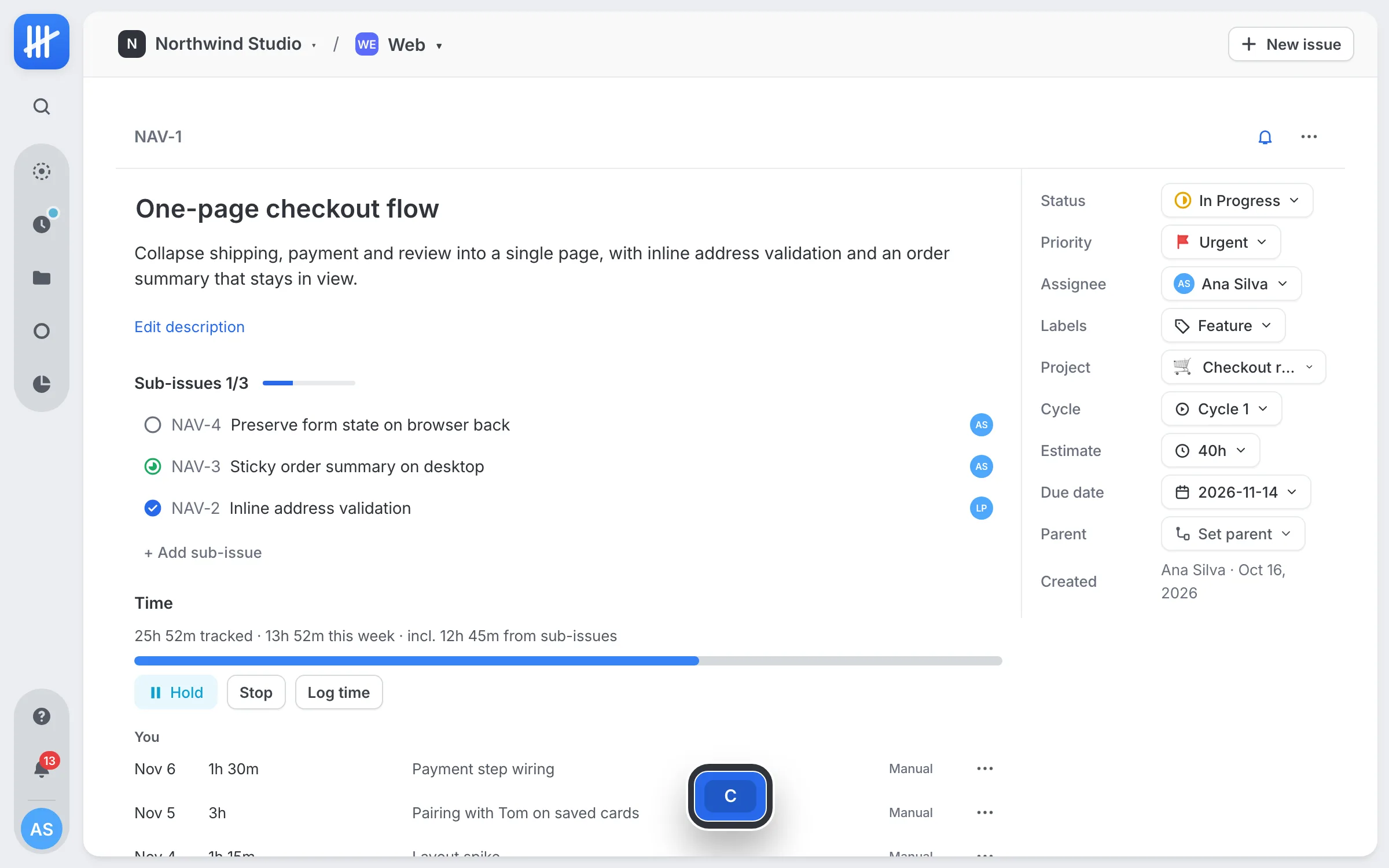
The rest is what you would expect from a Linear-style tracker: teams, sub-issues, relations, labels, saved views, list and board layouts, cycles that roll unfinished work forward, and Cmd+K. The weekly timesheet fills from timers, and reports group hours by person, issue, team, label, project or cycle, with CSV export.
Watch for: Notch has no billable rates, invoicing or GitHub integration. Teams that invoice export the CSV report to their invoicing tool. It imports from Linear and Everhour, which is how we moved our own 686 issues and 2,433 hours in a day.
How to choose
- You want the richest time reports and don't mind setup? YouTrack.
- You need one tool for engineering and the rest of the company? ClickUp or Asana, on the plan that includes time tracking.
- You must self-host and want it free? Redmine.
- You like Linear's feel and only need logged hours? Plane Pro.
- You want a timer, hour estimates and a timesheet on every issue, in a tracker made for small software teams? Notch.
- You love Linear and only a few people track time? Stay, and add a tracker. Our Everhour alternatives list and the Harvest vs Everhour comparison cover the options.
Before you switch, try one real week in the new tool. Track every hour against an issue, then open the report on Friday. If you can answer "what did this cost, and was the estimate right?" without a spreadsheet, you have found your tracker.
Questions people ask
Which Linear alternative has the best built-in time tracking?
It depends on what you need from the hours. YouTrack has the deepest reporting and timesheets, Asana and ClickUp have a real timer on every task, Redmine is free and self-hosted, and Notch puts a timer, an hour estimate and a timesheet on every issue for small software teams.
Can I keep Linear and still track time?
Yes. Linear has no timer of its own, but Everhour and Harvest add one inside Linear through a browser extension. If you like Linear, that is usually the simpler path than switching trackers.
Do these tools include time tracking on their free plans?
Mostly not, as of November 2026. ClickUp includes time tracking from its Core plan, Plane from Pro, and Asana from Advanced. Redmine is open source, so there is no plan to buy, but you host it yourself.
Will I lose my Linear history if I switch?
Not if the new tracker imports from Linear. Check the importer before you commit: it should carry issues, comments and cycles, and ideally the hours you tracked elsewhere. Notch imports from Linear and Everhour.