Everhour alternatives for teams that track time against issues: 7 options
Everhour alternatives for teams that log hours against issues: Harvest, Toggl Track, Clockify, Tempo, Jira, YouTrack and Notch, with prices checked.
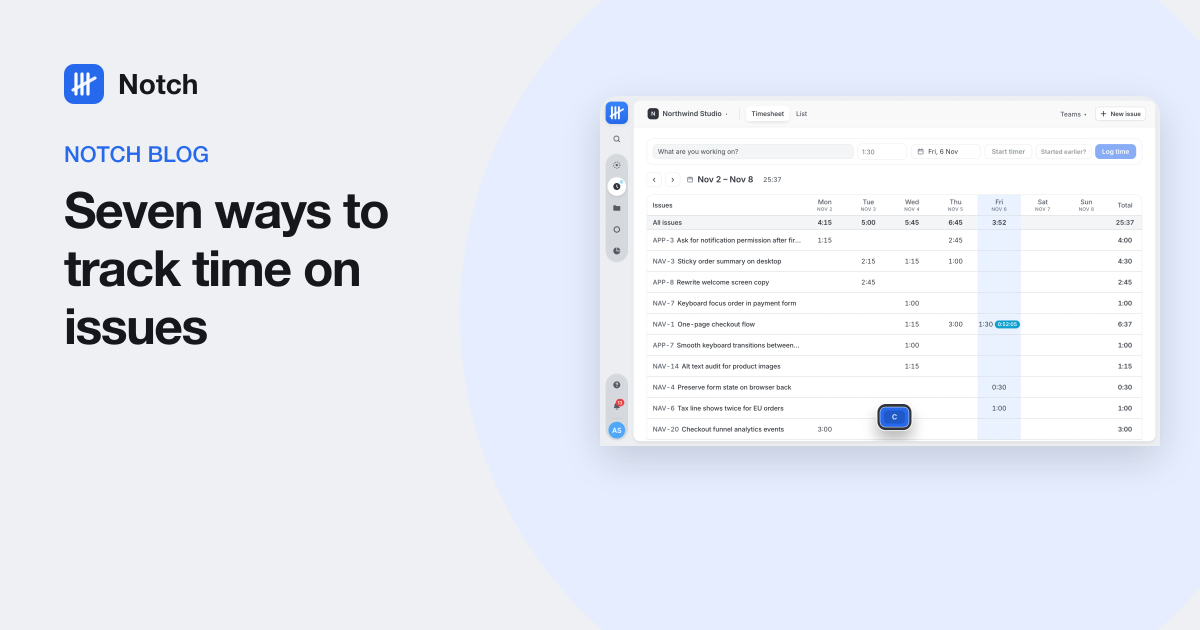
Short answer: the best Everhour alternatives for teams that track time against issues are Harvest (a timer inside Linear, Jira and GitHub, plus invoicing), Toggl Track and Clockify (flexible trackers with browser extensions), Tempo Timesheets or Jira's own Log work (for Jira teams), and an issue tracker with time built in, such as YouTrack or Notch. Which one fits depends on where your issues live and whether you invoice from your time tool.
Everhour is good at what it does, and it is worth saying so before listing ways to leave it. This post is for teams whose hours belong to issues in an issue tracker: Linear, Jira, GitHub or similar. We compare 7 options on how close the timer sits to the issue, whether estimates live next to actuals, and what it costs, as of November 2026.
What Everhour does well
- The timer sits inside your tracker. Everhour lists native integrations with Linear, Jira, GitHub, GitLab, Asana, ClickUp and Trello. In Linear, its browser extension puts a timer and the estimate on each issue, and project hours against the estimate in the header (see Everhour's Linear setup guide).
- Estimates, budgets and invoices. Task estimates, fixed-fee or recurring budgets with alerts, expenses, invoicing and resource planning, all in one tool.
- Jira worklogs. Time tracked through Everhour is stored in Jira's native worklog.
- Simple pricing. The Everhour pricing page lists Team at $8.50 per seat per month billed yearly, and a free plan for up to 5 seats.
The reasons teams look elsewhere are usually these: Team has a 5-seat minimum, so a team of three pays for five; the free plan has no integrations, which is the whole point for issue-tracker teams; every person needs the extension installed and up to date on every computer; and the hours still live in a second tool with its own reports.
The Everhour alternatives at a glance
| Option | Where the timer lives | Estimates next to actuals | Entry price, November 2026 | Best for |
|---|---|---|---|---|
| Harvest | Extension in Linear and GitHub; app in Jira | Project budgets | $9/seat/mo (annual) | Teams that invoice from tracked time |
| Toggl Track | Extension in Jira and GitHub | Task estimates; project estimates from Starter | $9/user/mo (annual) | Mixed teams, personal timers |
| Clockify | Extension in Jira, GitHub, GitLab | From Basic | $3.99/seat/mo (annual) | Budget-conscious teams |
| Tempo Timesheets | Inside Jira | Jira estimates and reports | Per Jira user | Jira teams with approvals |
| Jira Log work | Inside Jira, manual | Original estimate and time remaining | Included in Jira | Jira teams with simple needs |
| YouTrack | Built into the tracker | Estimation field | See JetBrains | Teams that want deep time reports |
| Notch | Built into every issue | Hour estimate bar on each issue | Launch pricing | Small software teams leaving Linear and Everhour |
1. Harvest
Harvest is the closest swap for Everhour. Its extension adds a Start timer button to the Linear issue sidebar, a Track Time control to GitHub issues and pull requests, and a Marketplace app puts a timer in the right-hand column of every Jira issue. Entries link back to the issue. Harvest's real strength is money: invoices built from time and expenses, and payments through Stripe or PayPal.
The Harvest pricing page lists Teams at $9 per seat per month billed annually ($11 monthly). The free plan is 1 seat and 2 projects.
Watch for: Harvest budgets are per project, not per issue, and Harvest projects are set up separately from your tracker. Our Harvest vs Everhour vs Toggl Track comparison goes deeper.
2. Toggl Track
Toggl Track has one of the nicest timers around, with idle detection and Pomodoro. Its browser extension adds a timer button to Jira and GitHub, and a native Jira Sync brings Jira projects and tasks into Toggl (one way, Jira to Toggl). Task estimates are on every plan; project estimates and billable rates start at Starter.
The Toggl Track pricing page shows Starter at $9 per user per month billed annually, or $12 monthly. Its FAQ puts the free plan at up to 3 users.
Watch for: we could not confirm Linear support on Toggl's own pages, so check the extension's integration list before you rely on it.
3. Clockify
Clockify is the low-cost option. Its free plan includes unlimited tracking, timesheets and reports. The Clockify pricing page lists Basic at $3.99 per seat per month billed annually, which adds project and task estimates and billable rates; invoicing starts at Standard ($5.49). Clockify integrates natively with Jira, and its extension tracks time from GitHub and GitLab issues.
Watch for: like the two above, the link to the issue is only as good as the extension and the description people type.
4. Tempo Timesheets (Jira)
If your issues are in Jira, Tempo keeps time inside Jira itself. Worklogs belong to issues and can be grouped by customer or contract, marked billable, approved by team leads, and chased with Slack and email reminders. The Tempo pricing page prices it per Jira user, and your Tempo licence has to match your Jira licence size.
Watch for: every Jira user counts toward the licence, including people who never log time.
5. Jira's own Log work
Before you buy anything, check what Jira already does. Atlassian's guide to logging time covers an original estimate, a Log work action and the time remaining on each issue. There is no timer, so people enter time after the fact.
6. YouTrack
YouTrack is an issue tracker with time tracking built in. Logged work items add up to the issue's spent time, an Estimation field sits beside it, and timesheet and time reports compare the two. Timers come from ready-made workflows (see the YouTrack time tracking tutorial). It suits teams willing to switch trackers and configure them. We compare it with other trackers in Linear alternatives with time tracking.
7. Notch
Notch is ours, and it exists because we were Everhour and Linear users ourselves. It is an issue tracker for software teams of 3 to 30 with time built into every issue: one running timer per person (press T), hour estimates with a bar that fills as you track, a weekly timesheet by issue and day, and reports by person, issue, team, label, project or cycle.
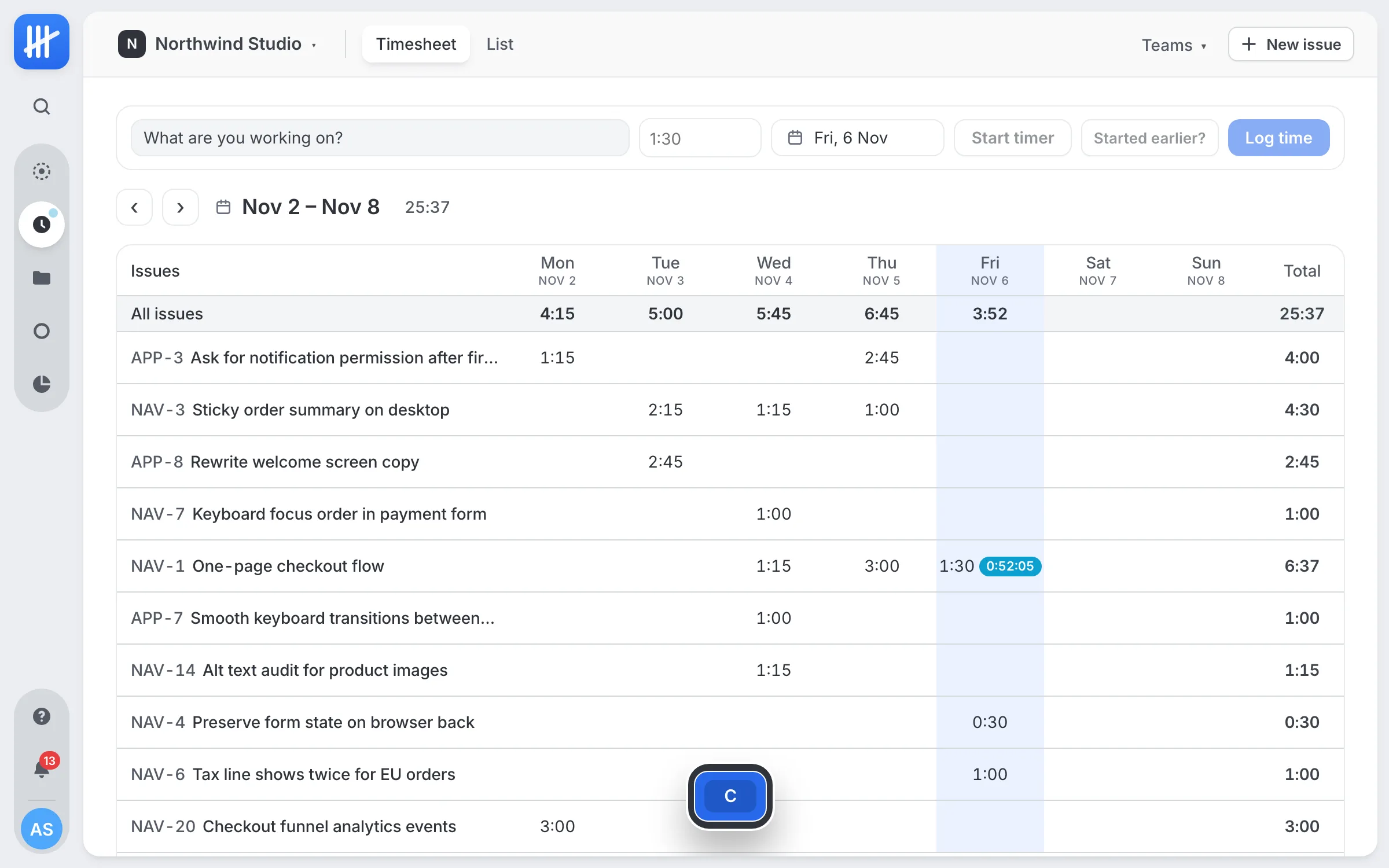
Notch imports Linear issues and Everhour time together, so each hour lands on its issue. We moved 1,143 time entries this way, in about twenty minutes of import.
Watch for: Notch has no billable rates, invoicing or budgets in money, and no Jira or GitHub integration. If you invoice from Everhour today, Harvest is the better fit, or export Notch's CSV report to your invoicing tool.
How to choose
- You invoice from your time tracker? Harvest.
- You live in Jira? Jira's Log work first, Tempo when you need approvals.
- You want the lowest price per seat? Clockify.
- You care most about a pleasant timer across many apps? Toggl Track.
- You are tired of joining two tools? A tracker with time built in: YouTrack or Notch.
Questions people ask
What is the best Everhour alternative for Linear users?
Harvest is the closest like-for-like: its browser extension adds a Start timer button to the Linear issue sidebar and links each entry back to the issue. If you would rather drop the second tool, use an issue tracker with time built in.
Is there a free alternative to Everhour?
Clockify has a free plan with unlimited tracking, and Toggl Track and Harvest have free plans for very small teams, as of November 2026. Everhour itself is free for up to 5 seats, but its integrations are not on the free plan.
What should Jira teams use instead of Everhour?
Start with Jira's own Log work, which records time against the original estimate at no extra cost. If you need approvals, reminders and billing accounts, Tempo Timesheets installs into Jira and keeps worklogs on the issue.
Can I move my Everhour history to another tool?
Everhour exports reports, so most tools can take a CSV of past entries. Keeping each entry tied to its issue is the hard part; Notch's importer reads Everhour and Linear together so hours land on the issues they were tracked on.