Sprint capacity planning in hours: a 5-step method with a worked example
Sprint capacity planning in hours, in 5 steps: count available hours, subtract non-project time, commit against estimates, track, and review carry-over.
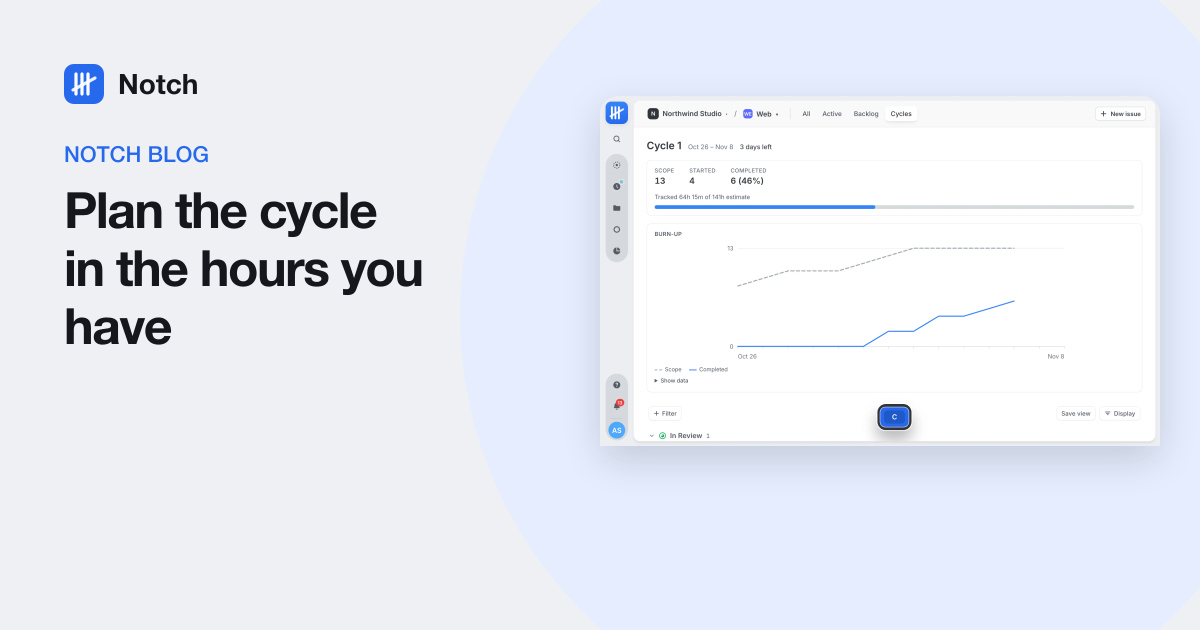
Short answer: sprint capacity planning in hours takes five steps: work out each person's available hours (days off, meetings, a focus factor), subtract planned non-project time, commit to issues whose hour estimates fit inside what is left with a buffer, track hours against those estimates during the sprint, and review what carried over so the next plan is better. It is plain arithmetic, and it works best when every hour is tracked on an issue.
Most sprint plans fail the same way: the team commits to a full two weeks of work and has about one and a half weeks to do it in. Holidays, meetings, support duty and code review eat the difference. Planning capacity in hours makes that gap visible before the sprint starts, not at the retro.
Why plan sprint capacity in hours
The Scrum Guide keeps it general: sprints are "fixed length events of one month or less," and "the more the Developers know about their past performance, their upcoming capacity, and their Definition of Done, the more confident they will be in their Sprint forecasts." It doesn't say what unit to plan in.
Many teams use story points and velocity. Hours suit teams whose work is billed or budgeted in hours, teams whose availability changes a lot from sprint to sprint, and teams new enough to have no velocity yet. Mike Cohn, who also teaches points, prefers what he calls capacity-driven sprint planning for the sprint itself: the team takes one backlog item at a time, roughly estimates the hours of its tasks, and stops once it has filled its available time. Our post on story points vs hours covers the wider trade-off. The method below is the hours version, in five steps.
The worked example uses made-up numbers for a fictional team of four on a two-week cycle (10 working days). They are an example, not a benchmark.
Step 1: Count available hours per person
Start with the calendar, one person at a time. Take the working days in the sprint, remove holidays and planned leave, and multiply by that person's working hours per day. Then take off recurring meetings, including the sprint events. The Scrum Guide gives the upper limits for a one-month sprint (Sprint Planning at most eight hours, the Sprint Review four, the Retrospective three, the Daily Scrum 15 minutes) and notes that for shorter sprints the events are usually shorter.
Atlassian's guide to scrum metrics suggests the same habit: "gather each team member's availability a few sprints out."
| Person (example) | Days in sprint | Days off | Hours per day | Meetings | Available hours |
|---|---|---|---|---|---|
| Ana | 10 | 1 | 8 | 7 | 65 |
| Ben | 10 | 0 | 8 | 7 | 73 |
| Chen | 10 | 2 | 8 | 6 | 58 |
| Dee (three days a week) | 6 | 0 | 8 | 4 | 44 |
| Team | 240 |
Then pick a focus factor: the share of the remaining hours that actually turns into work on sprint issues once you allow for interruptions, context switching, helping others and small unplanned jobs. Nobody can tell you the right number for your team. Start with a guess (this example uses 0.8) and replace it with your own measured figure in step 5.
Step 2: Subtract planned non-project time
Some time is already spoken for and won't go to sprint issues: a support rotation, interviewing, an internal tooling day, a conference. Take it off before you apply the focus factor, because these are fixed blocks, not interruptions.
| Person (example) | Available | Non-project | Left | × focus 0.8 |
|---|---|---|---|---|
| Ana | 65 | 0 | 65 | 52 |
| Ben (on support) | 73 | 20 | 53 | 42.4 |
| Chen (interviews) | 58 | 4 | 54 | 43.2 |
| Dee | 44 | 0 | 44 | 35.2 |
| Team | 240 | 24 | 216 | 172.8 |
So the team has about 173 focused hours for sprint work, from 288 hours on paper (three people full time for ten days at eight hours, plus Dee's six days). That gap is normal, and it is exactly what an unplanned sprint ignores.
Step 3: Commit against hour estimates
Now fill the sprint. Take issues in priority order, check each has an hour estimate, and add them until you reach capacity less a buffer. Atlassian's guide recommends leaving "a 10 percent buffer in your sprint commitment to avoid overcommitting and under-delivering." On 173 hours that leaves about 156 to commit.
In the example, the team commits issues estimated at 155 hours. Then check per person, not just the total: if Ben has 50 hours of issues assigned against 42 focused hours, the team total can look fine while Ben's half of the sprint is already late. Move work or split it.
Large issues are where hour plans go wrong. Cohn's task estimates are rough by design, and they don't need to be precise; what matters is that no single issue is big enough to sink the sprint. If an estimate runs to several days, break the issue down before it goes in.
Step 4: Track hours during the sprint
A plan in hours needs hours tracked against the same issues, or you can't tell whether it is holding. Two numbers matter mid-sprint:
- Completed work against time elapsed. Halfway through, roughly half the committed work should be done or nearly done. A burn-up chart shows this at a glance, including any scope that was added.
- Tracked hours against estimates, per issue. An issue at 9 hours of a 6 hour estimate that is not finished is the one to talk about at the next daily stand-up.
If scope is added, something of similar size comes out, or the team agrees openly that the sprint will not finish everything.
Step 5: Review carry-over and recalibrate
At the end, look at three things, and write them down so the next plan uses them.
- What carried over, and why. In the example, three issues estimated at 22 hours did not finish, so 133 of the 155 committed hours were completed. Unfinished work moves to the next sprint or back to the backlog, with its original estimate intact.
- Your real focus factor. The team tracked 158 hours on sprint issues against the 216 hours left after step 2: a focus factor of about 0.73, not the 0.8 they guessed.
- How the estimates held. The completed issues, estimated at 133 hours, took 150 tracked hours: 13% over. Our guide to the estimated vs actual hours report shows how to read this per issue and per person.
Next sprint, this team uses 0.75 and either estimates more generously or commits fewer hours. Don't overreact to one sprint, though. Cohn's experience is that velocity bounces around in about a plus or minus 20% range from sprint to sprint, and there is no reason to expect hours to be steadier. Scrum Inc.'s Yesterday's Weather pattern averages the last three sprints for the same reason; averaging your last three focus factors works well too.
Sprint capacity planning in Notch
Notch calls sprints cycles. Cycles are created ahead automatically, unfinished issues roll into the next cycle when one ends, and each cycle shows its scope, started and completed issues, a burn-up chart, and the hours tracked against the cycle's total estimate. Estimates are in hours, and the timer runs on the issue, so steps 4 and 5 need no spreadsheet.
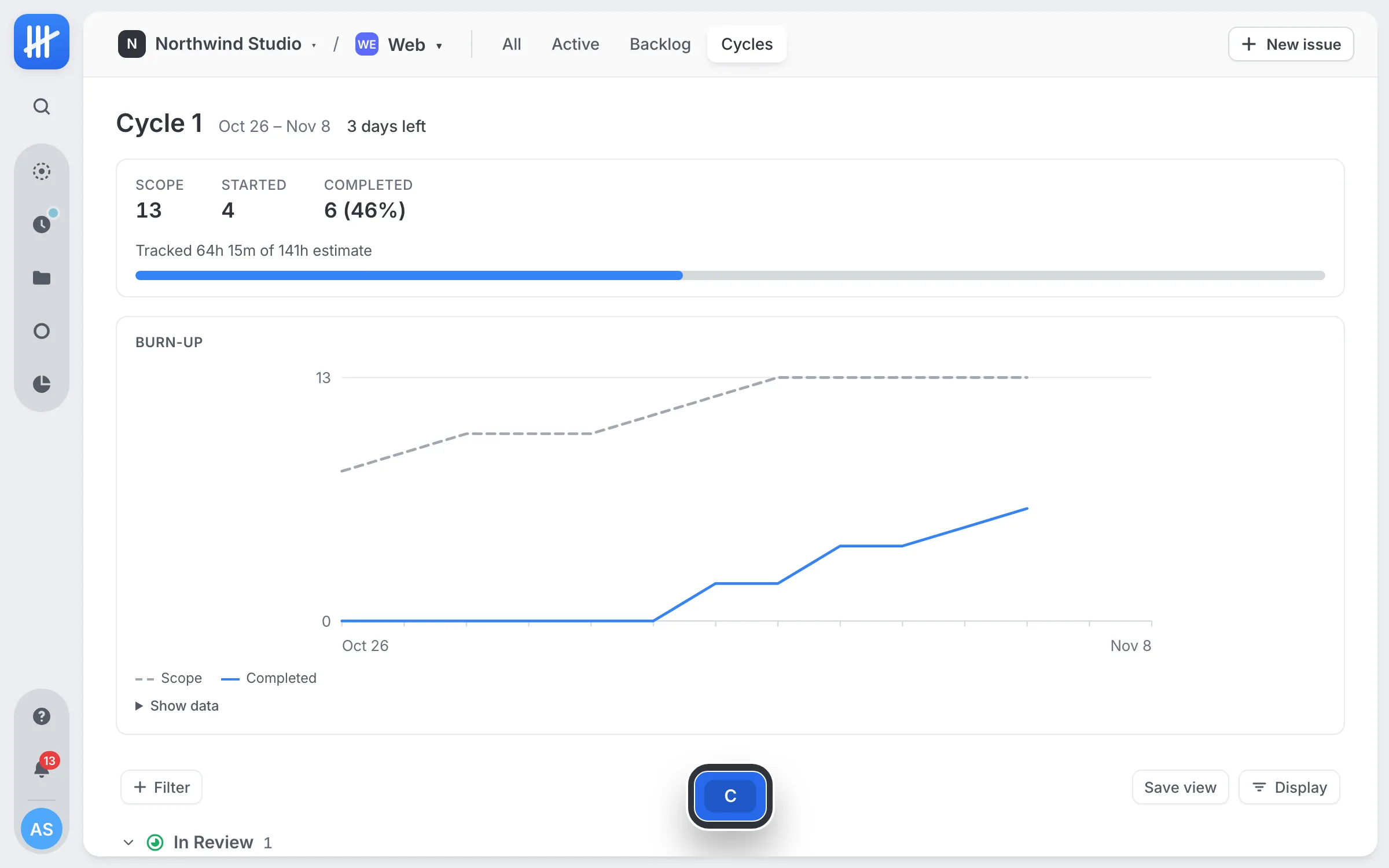
Notch does not hold availability, leave or a focus factor, so steps 1 to 3 still happen in your calendar or a short spreadsheet. For the review, group the time report by cycle to see total tracked against estimate, or by issue to find the ones that ran over. If you plan sprints in points in Jira or Linear and are happy, keep doing that; the five steps above work in any tool that holds hours.
If your team bills clients, the same tracked hours feed the client report. Our agency billable hours post covers that weekly routine.
Questions people ask
How do you calculate sprint capacity in hours?
For each person, multiply the days they are available in the sprint by their working hours, subtract recurring meetings and planned non-project work, then multiply by a focus factor for interruptions. Add up the team and keep a buffer.
What focus factor should a team use?
Start with a guess, then replace it with your own number after a cycle or two: the hours tracked on cycle issues divided by the hours you said were available. There is no standard figure worth copying from another team.
Should you plan sprint capacity in story points or hours?
Points with velocity suit stable teams forecasting a long backlog. Hours suit teams whose work is billed or budgeted in hours, and teams whose people or availability change from sprint to sprint.
What should happen to unfinished work at the end of a sprint?
Move it to the next sprint or back to the backlog on purpose, with its original estimate intact, and look at why it didn't finish in the review. Don't quietly extend the sprint.