Estimated vs actual hours: how to build the report, read it, and act on it
How to build an estimated vs actual hours report: the columns it needs, how to read it per issue, person and cycle, and the traps that skew it.
Short answer: an estimated vs actual hours report lists each piece of work with its estimate in hours, the hours tracked against it, the hours still remaining, and the variance in hours and as a percentage. Read it per issue to find surprises, per person to plan workload, and per project or cycle to see whether your plans are holding. It only works if the estimate stays fixed, the date range covers the whole piece of work, and every hour lands on an issue.
We run a small software agency, and this is the report we look at most. It answers two questions clients and teams both ask: "is this on track?" and "why did it cost what it cost?" Here is how to build one in a spreadsheet, how to read it, and the mistakes that make it lie.
What an estimated vs actual hours report is
It is a table with one row per unit of work (an issue, a task, a ticket) and a handful of number columns. The rows can be rolled up by person, project or sprint. Jira's own documentation describes the same idea for its time tracking fields: you log time to compare your original estimate with the actual time taken, and the panel shows the time logged so far and the time remaining.
The report is useful when it is about learning, not blame. It tells you which kinds of work you misjudge, by how much, and in which direction.
The columns it needs
| Column | What goes in it |
|---|---|
| Estimate | The hours you expected before the work started. Set once. |
| Tracked | Every hour logged against the issue, from the first entry to today. |
| Remaining | The assignee's current guess at the hours left. Zero once it is done. |
| Forecast | Tracked plus remaining: what the issue will have cost when it closes. |
| Variance (hours) | Forecast minus estimate. Positive means over. |
| Variance (%) | Variance divided by estimate. Lets a 2 hour task sit next to a 40 hour one. |
Remaining is the column people skip, and it is the one that makes the report useful mid-sprint. Without it, an issue that is half done at 5 of 10 hours looks fine, even if the developer knows there are 12 hours to go. Jira makes the same split between original estimate and remaining estimate; its board setting tracks progress by subtracting time spent from the original estimate.
A worked example in a spreadsheet
This is an example with made-up numbers, not data from a real team. Four issues from one sprint:
| Issue | Status | Estimate | Tracked | Remaining | Forecast | Variance (h) | Variance (%) |
|---|---|---|---|---|---|---|---|
| Address form validation | Done | 6 | 9 | 0 | 9 | +3 | +50% |
| Saved cards | In progress | 10 | 7.5 | 4 | 11.5 | +1.5 | +15% |
| Sticky order summary | Done | 8 | 6 | 0 | 6 | -2 | -25% |
| Payment error copy | Done | 2 | 2.5 | 0 | 2.5 | +0.5 | +25% |
| Total | 26 | 25 | 4 | 29 | +3 | +11.5% |
If your time tracker exports one row per time entry, put the export on a sheet called Entries and build the report on a second sheet. With the issue key in column A and the estimate in column B:
Tracked     C2 = SUMIFS(Entries!$L:$L, Entries!$G:$G, A2) / 3600
Remaining   D2 = typed by the assignee, 0 when done
Forecast    E2 = C2 + D2
Variance h  F2 = E2 - B2
Variance %  G2 = F2 / B2   (format as a percentage)
The column letters match Notch's CSV export, where G is the issue key and L is the duration in seconds; adjust them for your tool.
Notice what the totals hide. The sprint is 11.5% over, which sounds tolerable. Underneath, one issue is 50% over and another 25% under, and they partly cancel out. Always read the rows before the total.
How to read estimated vs actual hours
Per issue
Sort by variance in hours, largest first. The top three rows are your conversation for the retro. For each, ask one question: was the work bigger than we thought, or did something get in the way? "Bigger" is an estimation lesson. "Got in the way" (a flaky environment, waiting on a review, an unclear spec) is a process lesson, and no amount of better estimating will fix it.
Per person
Group by person to see workload, not to rank people. A senior developer and a junior one will take different times on the same issue; that is expected, and it is one reason Mike Cohn argues against equating story points to a set number of hours. What you are looking for is someone whose estimates are consistently far off in one direction, which usually means they are estimating work they cannot see yet. Pair them on estimates for a cycle or two.
Per project or cycle
This is the planning view. If the last four cycles all landed 15% to 25% over, your next plan should assume the same, or the estimates should grow. Our post on sprint capacity planning in hours shows how to feed this back into the next cycle.
Common traps
- Partial date ranges. A report for "last 30 days" counts only the hours inside those 30 days, but the estimate covers the whole issue. An issue that started 6 weeks ago will look under budget. Compare the estimate with the issue's all-time tracked hours, not the range.
- Re-estimating after the fact. Changing a 6 hour estimate to 9 once the work took 9 makes the report agree with itself and teaches you nothing. If scope grew, split the new work into its own issue. Mike Cohn makes a related point about sprints: re-estimating partially finished items is unnecessary work; leave the original estimate alone.
- Untracked time. Hours spent on reviews, calls and fixes that nobody logged make every issue look cheaper than it was. Check the timesheet weekly so the gaps get filled while people still remember.
- Sub-issues counted twice. If a parent issue's tracked total already includes its sub-issues, adding the parent row and the child rows together counts the same hours twice. The same goes for estimates: put the estimate on the parent or on its sub-issues, not both, unless the parent's estimate covers only its own work.
- Estimates in different units. Points are relative units, not hours, so a points estimate cannot sit in the Estimate column. Our post on story points vs hours covers when each fits.
The same report in Notch
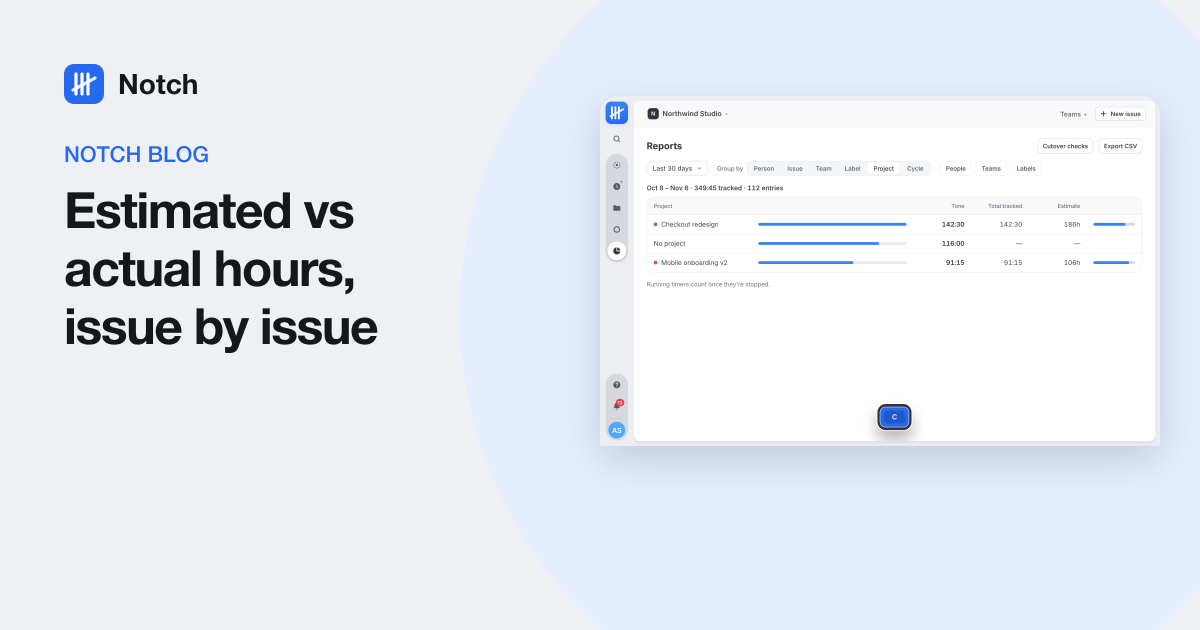
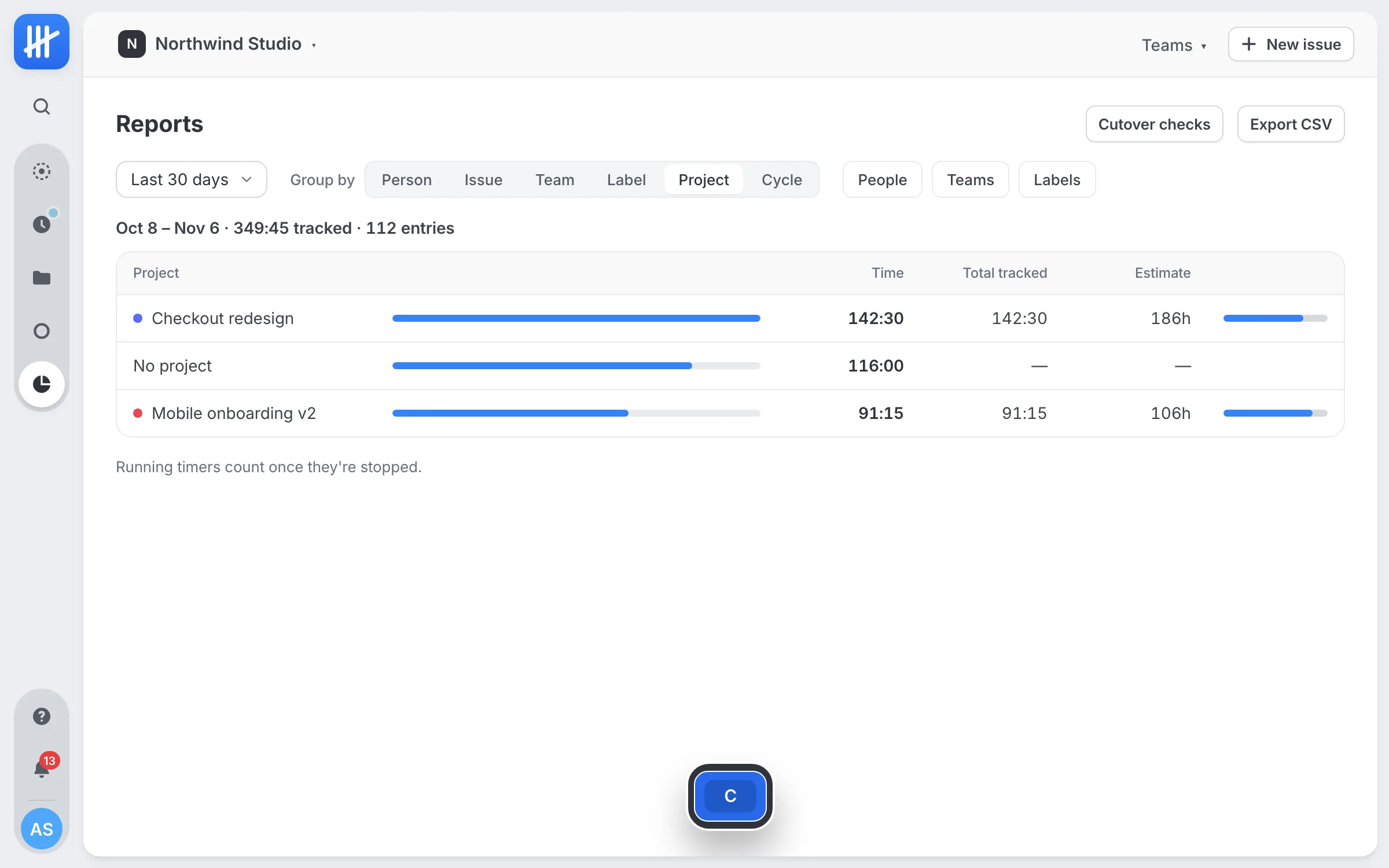
In Notch, issues are estimated in hours and the timer runs on the issue, so the report needs no joining. Reports group time by person, issue, team, label, project or cycle. Grouped by issue, project or cycle, each row shows the time in the selected range, the total tracked ever, the estimate, and a bar of the estimate used. Seeing range time and total tracked side by side is how the partial date range trap stays visible.
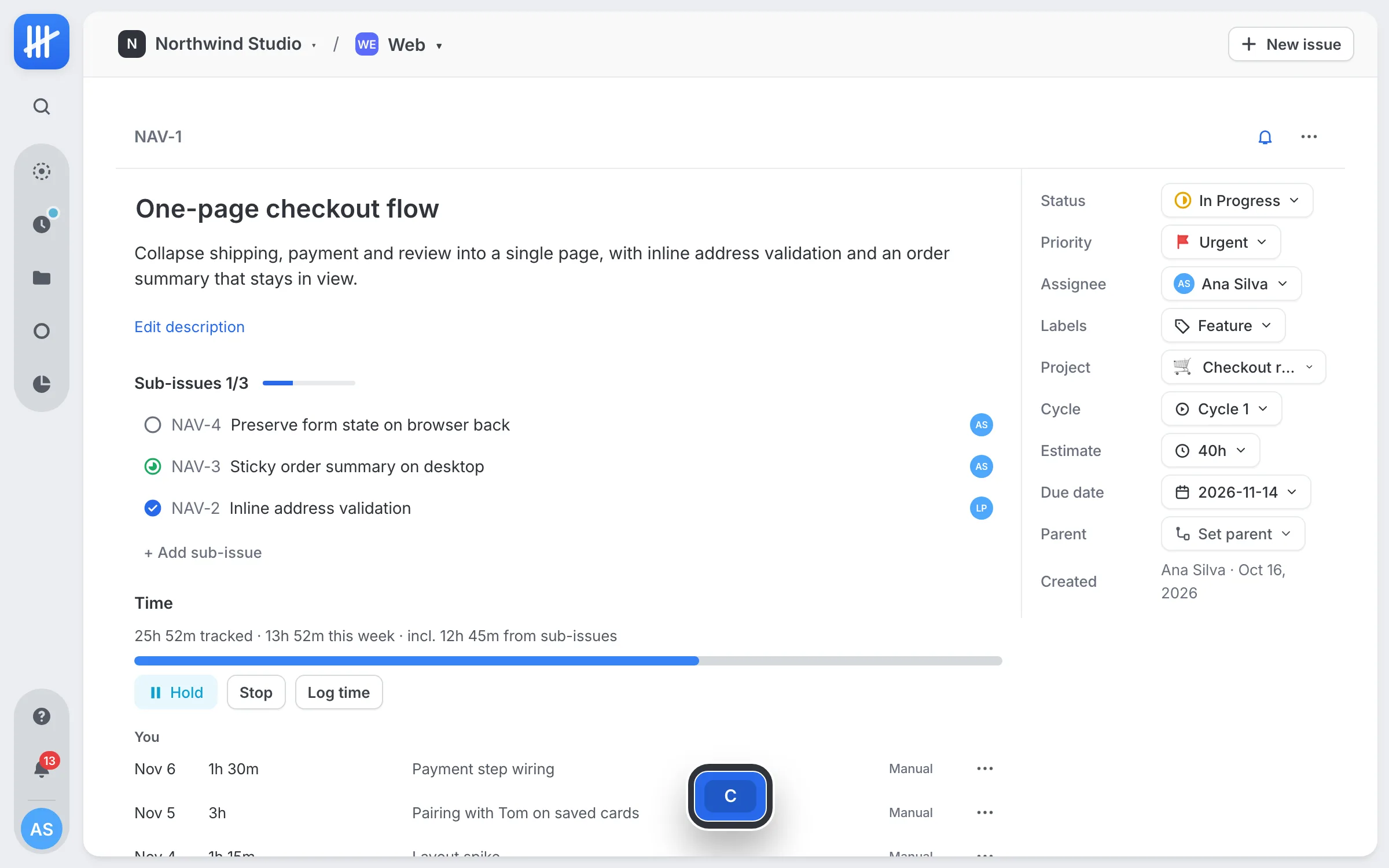
On the issue itself, the time section shows tracked hours against the estimate, and says how much of the total came from sub-issues, which helps with the double counting trap.
Notch does not keep a remaining column or calculate variance for you. When we need those, we export the CSV and use the formulas above.
What to change based on it
- Split the work you keep underestimating. If issues over a day or two are the ones that blow up, break them down before you estimate.
- Add a line for the work you forget. Code review, deploys and client calls belong in the estimate, or in a separate issue.
- Adjust capacity, not just estimates. A team that is steadily 20% over can plan 20% less, which is often more honest than padding every estimate.
- Talk to the client early. For agency work, a forecast over estimate in week one is a conversation; at invoice time it is a dispute. Our agency billable hours post covers the weekly routine that keeps it early.
Whatever tool you use, the report is only as good as its inputs: an estimate set once, every hour on an issue, and a date range that covers the work.
Questions people ask
How do you calculate variance between estimated and actual hours?
Variance in hours is actual (tracked plus any remaining work) minus the estimate. Variance in percent is that difference divided by the estimate, so a 6 hour issue that took 9 hours is +3 hours, or +50%.
What is a good estimate accuracy for a software team?
There is no universal target worth quoting. Watch your own trend: if the total for a cycle or project keeps landing within a band you can plan around, and the outliers have reasons, the estimates are doing their job.
Should you change the estimate after the work is done?
No. Keep the original estimate and record the actual beside it. If the scope changed, split the new work into its own issue with its own estimate, so the report still shows what you expected and what happened.
Can you compare estimated vs actual hours if you estimate in story points?
Not directly, because points are relative units, not hours. Teams that need the comparison either estimate billable work in hours as well, or compare points to tracked hours only as a rough trend.