A free developer timesheet template: one week, one row per issue
A free developer timesheet template in CSV: one row per issue, a column per day, totals and notes. How to open it, fill it on Friday, and avoid mistakes.
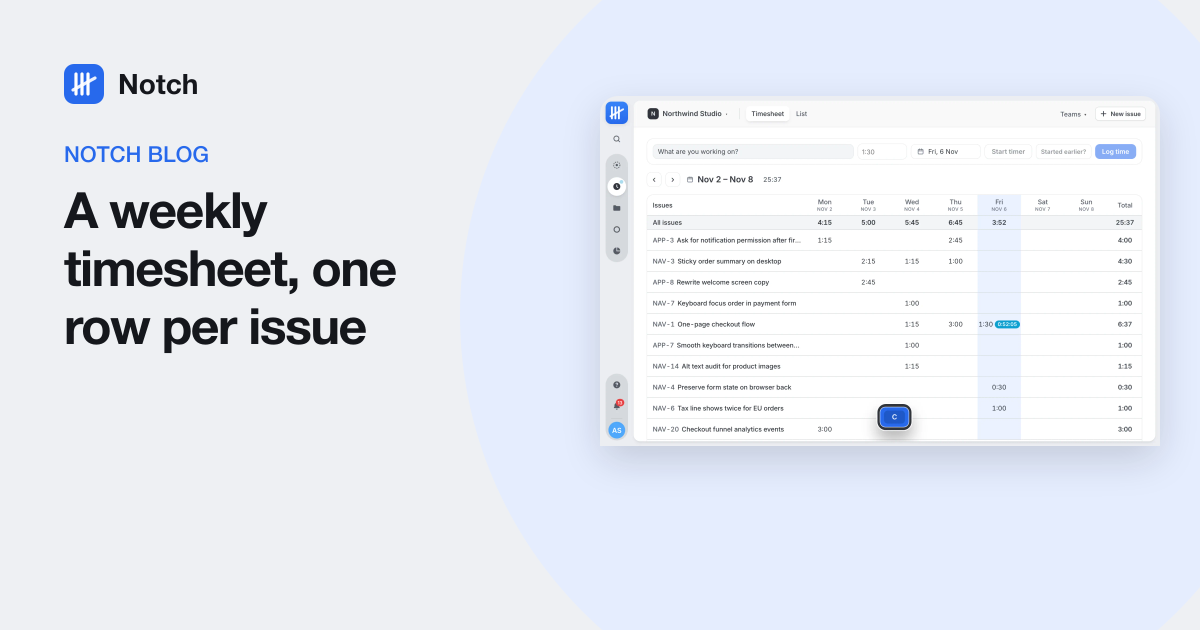
Short answer: this developer timesheet template is a weekly sheet with one row per issue (issue key, title, project), a column for each day from Monday to Sunday, a total, and a note. Download the CSV, open it in Google Sheets or Excel, and fill it in for five minutes every Friday.
Most timesheet templates on the web are built for shift work: start time, lunch break, end time. Software work does not split that way. A developer's day is three issues, a review and a call, and the useful question is not "when did you clock in?" but "what did the hours buy?" This template answers that question, and it is the same layout we use in our own tool.
Download the developer timesheet template
developer-timesheet-template.csv (plain CSV, free to copy and change). It has a header row, four example rows and a totals row. Delete the example rows and keep the header.
| Issue key | Title | Project | Mon | Tue | Wed | Thu | Fri | Sat | Sun | Total | Note |
|---|---|---|---|---|---|---|---|---|---|---|---|
| WEB-12 | Checkout times out on slow networks | Client portal | 2 | 1.5 | 1 | 4.5 | Fix in review | ||||
| WEB-15 | Add CSV export to the orders page | Client portal | 2.5 | 3 | 1 | 6.5 | Client asked for a date filter | ||||
| APP-4 | Push notification opt-in screen | Mobile app | 3 | 2 | 1 | 2 | 8 | ||||
| OPS-2 | Weekly client call and planning | Internal | 1 | 1 | 0.5 | 2.5 | Not billable | ||||
| Total | 6 | 6 | 4 | 2 | 3.5 | 0 | 0 | 21.5 |
Hours are decimals, so 1.5 means an hour and a half. The totals are plain numbers because a CSV file cannot hold formulas. Once you open it, replace them with sums (below) so they update as you type.
How to open it in Google Sheets or Excel
Google Sheets. Open a new spreadsheet, choose File > Import, upload the file, and pick "Replace spreadsheet" or "Insert new sheets". Leave the separator on "Detect automatically" or set it to comma. Google's import help page lists every option.
Excel. Choose File > Open, set the file type filter to Text Files, and open the CSV; Excel shows it in a new workbook (Microsoft's CSV help page has the details). The file still ends in .csv, so save it as a workbook if you add formulas or formatting, or they will be lost. If your region uses a comma as the decimal mark, Excel may split the columns differently; Microsoft's page explains the list separator setting.
Then add the sums. In the Total column, row 2, type =SUM(D2:J2) and fill it down. In the totals row, type =SUM(D2:D5) under Monday and fill it right, widening the range as you add rows. The same SUM function works in Google Sheets and Excel. Keep one sheet tab per week, named by its Monday date.
If you edit the CSV in a text editor instead, put any title or note that contains a comma inside double quotes. That is the rule in RFC 4180, the closest thing CSV has to a standard, and it is why two of the example notes are quoted.
Why a timesheet by issue beats one weekly total
"38 hours this week" is true and almost useless. "4.5 hours on WEB-12, estimated at 2" starts a conversation. Rows by issue give you:
- Traceability. When a client or a lead asks why a feature cost what it did, you point at issue keys, not memories.
- Estimates you can check. Put each issue's estimate next to its total and you see which kinds of work run over. That is how estimates improve, slowly, from your own data.
- A clean billable split. Client work and internal work sit on different rows and projects, so separating them is a filter, not a guess. Our post on billable vs non-billable hours covers which rows count.
- Context switches made visible. Seven rows with half an hour each on a Tuesday says more about the day than any stand-up.
The project column matters as much as the key. It is what you group by at month end, and the key alone rarely tells a finance person which client to bill.
Fill it in five minutes on Friday
A timesheet filled from memory a month later is fiction. Filled on Friday afternoon, it takes about five minutes and is close enough to bill from. The routine:
- Copy last week's tab. Clear the hours, keep the rows. Issues that ran over the weekend boundary are already there.
- Walk the week day by day. Open your merged and open pull requests, your commits and your calendar. Each one names an issue; add a row for any that is missing.
- Put the hours in. Round to the quarter or half hour, consistently. Do not try to reconstruct minutes.
- Add the meetings. Calls, reviews and planning go on their own rows (an internal key like OPS-2 works), not smeared across feature work.
- Check the day totals. A day that sums to 2 hours when you know you worked 8 is the gap to fix now, while you still remember it.
- Write one note where it helps. "Client asked for a date filter" next to an overrun saves a thread later.
Daily is better than weekly if you can make it a habit. Weekly is far better than monthly.
Common mistakes
- One row per project. It looks tidy and loses the detail that makes the sheet worth keeping. Use one row per issue; group by project afterwards.
- No issue key. "Checkout fixes" matches five issues. The key is the join between your timesheet and your tracker.
- Mixing 1:30 and 1.5. Pick decimals or hours and minutes for the whole file. A sheet with both will total wrong without anyone noticing.
- Padding to 8 hours. If the honest total is 6.5, write 6.5. Padded sheets make every later estimate worse.
- Hiding meetings inside feature rows. The feature then looks slower than it was, and the meeting cost never shows up anywhere.
- Editing after it is sent. Once a week is reported to a client, change it with a note, not silently.
The timesheet that fills itself
A spreadsheet works, and for a small team on short projects it may be all you need. Its weakness is the retyping: issue keys, titles and hours copied from one place to another every week. If your issues already live in a tracker, it is worth getting the timesheet from the tracker instead. Our post on time tracking for Linear compares the add-on route.
We built Notch so the timesheet would not need typing. Each issue has a timer (press T on the issue to start or stop it), and the timesheet is the same layout as this template: the week by issue and day, filled from those timers, with any cell editable when you forgot to start one. A reminder on Friday asks everyone to check their week, which is the five-minute routine above without the copying.
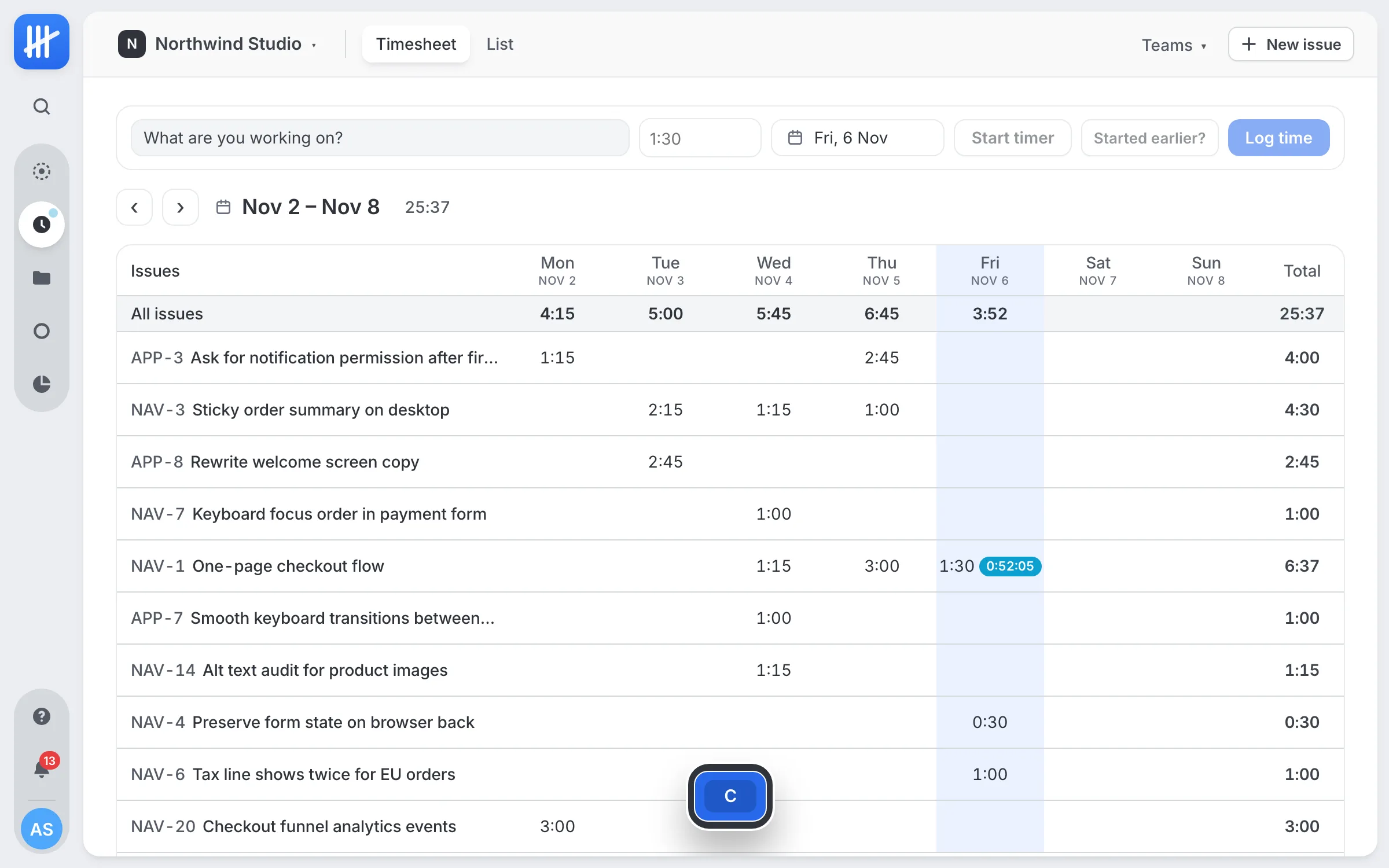
From there, the time report groups the same hours by person, issue, project, label or cycle and exports a CSV, so the month-end view our agency billable hours guide describes comes from the data you already checked on Friday. Whichever you use, the template or a tracker, the habit is what makes the hours worth trusting.
Questions people ask
What should a developer timesheet include?
One row per issue or task, with its key, title and project, a column for each day of the week, a total per row and per day, and a short note column. The issue key is what lets anyone trace the hours back to the work later.
Should developers log hours in decimals or hours and minutes?
Pick one and keep it for the whole sheet. Decimals (1.5) add up with a plain SUM in Google Sheets or Excel; hours and minutes (1:30) read more naturally but need a time format to total correctly.
How often should developers fill in a timesheet?
Daily is most accurate. If that does not happen, fill it once at the end of each week from your commits, pull requests and calendar, while the week is still fresh. Waiting until month end is where most invented hours come from.
Is a spreadsheet timesheet enough for a small team?
For a few people on short projects, yes. Once you want hours compared with estimates, reports by project or person, or no retyping of issue titles, a tracker that records time on the issue itself saves the weekly copying.