Billable vs non-billable hours: what software teams count, and how contracts change it
Billable vs non-billable hours for dev teams: which work counts, how time and materials, fixed price and retainers change it, and how to track utilization.
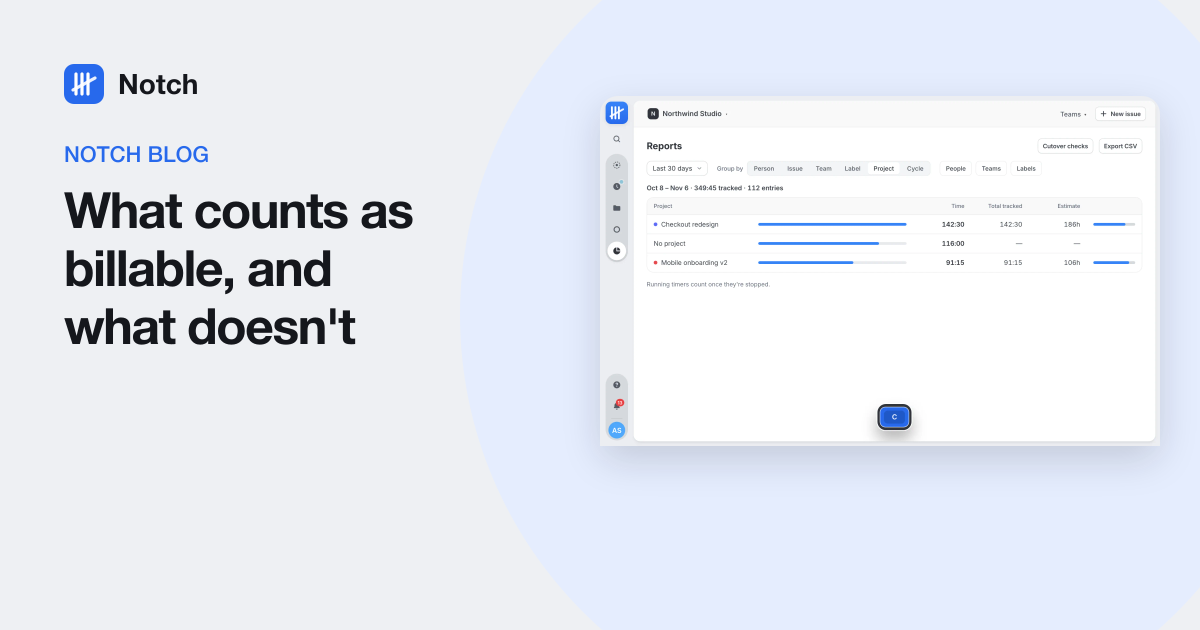
Short answer: billable vs non-billable hours comes down to one question: does the contract let you charge this client for this hour? For most software teams, client project work and client-requested changes are billable; internal tools, learning, sales estimates and fixes under warranty are not; meetings and project management depend on the contract. Decide the gray areas in writing, track every hour, and keep the split in the data, not in someone's head.
Our post on agency billable hours is about the system: tracking time on issues, reviewing weekly, reporting to clients. This one is about the question that system has to answer first: which of those hours count. The answer depends less on the work than on the contract, so we cover both.
Billable vs non-billable hours by type of work
This is the default most small development agencies we know start from, under a time and materials contract. Your contract wins wherever it says otherwise.
| Work | Usually | It depends on |
|---|---|---|
| Building features the client asked for | Billable | Nothing; this is the core of it |
| Changes the client requested after sign-off | Billable | Whether the change was agreed as extra scope |
| Code review, testing, deployment for the client's project | Billable | Whether your rate already assumes them |
| Bug fixes in work you delivered | Non-billable during warranty | The warranty period and what counts as a defect |
| Bug fixes in code you inherited | Billable | Whether the client knows it is inherited |
| Meetings with or for the client | Billable | Whether the contract names them |
| Internal meetings and stand-ups | Non-billable | Some teams bill stand-ups for a dedicated client team |
| Estimates and proposals before the contract | Non-billable | A paid discovery phase makes them billable |
| Project management | Billable or built into the rate | Whether PM is a line item or folded into the hourly rate |
| Internal tools, your own website, hiring | Non-billable | Nothing |
| Learning a new framework | Non-billable | Whether the client asked for that framework specifically |
A few of these deserve a sentence each:
- Warranty fixes. If you shipped the bug, most clients expect you to fix it at your cost for an agreed period. Track those hours anyway, on the original project, so you can see what quality costs you.
- Pre-sales estimates. Unbilled, but not free. If estimating a project takes a senior developer two days, that is part of the cost of winning it.
- Project management. Billing it as hours and building it into a higher rate are both common. Mixing the two on one client is how invoices get disputed.
How the contract changes the answer
The same hour of work can be billable on one project and not on another. Three contract shapes cover most agency work.
Time and materials
The client pays for hours at agreed rates, plus costs. The US Federal Acquisition Regulation, which defines contract types for government buying and is a clear reference for the terms, describes a time-and-materials contract as labor hours at fixed hourly rates, used when the extent or duration of the work cannot be estimated accurately up front. Here the billable split is the invoice. Every hour you label billable is an hour the client will see, so the definitions in the table above need to match the contract word for word.
Fixed price
The client pays an agreed price for agreed scope. The FAR's description of a firm-fixed-price contract is a price not adjusted for the contractor's actual costs, which puts the cost risk on you. No hour is billed individually, but tracking still matters: hours within scope tell you whether the project made money, and hours on requested changes outside scope are what you bill as a change order. On fixed price, the useful split is "in scope" versus "change request", not billable versus not.
Retainer
The client pays a set amount each month, usually for a block of hours or for availability. Hours are tracked against the block, and the contract should say what happens to unused hours and to hours over the block. The billable question becomes "does this count against the retainer?", and the answer for internal work is still no.
Utilization: the number the split feeds
Utilization is billable hours divided by available hours over the same period. Available hours are working hours minus public holidays and leave. Someone with 140 available hours in a month who logs 98 billable hours is at 70% utilization.
For a benchmark, the most cited source is SPI Research's annual Professional Services Maturity Benchmark. SPI reports that billable utilization in its 2026 benchmark, covering 2025, was 66.4%, down from 68.9%, the lowest it has recorded, against a long-standing 75% standard. The survey covers professional services organizations broadly, not development agencies specifically, so treat it as context rather than a target.
Two cautions. First, utilization is only as good as the non-billable side: if internal hours are not tracked, available hours look smaller and utilization looks better than it is. Second, a developer at 100% has no time for learning, internal tools or estimates, all of which the next project needs.
Keep the split clean
- Write the rules down. One page: the table above, edited for your contracts. Most disputes come from two people classifying the same kind of work differently.
- Track every hour against an issue. Including internal work. An hour on "OPS-2 weekly planning" can be classified; an hour on nothing cannot. Our developer timesheet template is laid out this way.
- Classify by where the work lives, not per entry. Put internal work in its own project, or give non-billable issues a label. People forget a per-entry checkbox; they rarely file an internal tool issue under a client project.
- Review weekly. Someone checks the week's hours before they reach a client. Misfiled hours are cheap to move on Friday and expensive after an invoice.
- Never reclassify silently. If an hour moves from billable to non-billable (or back), leave a note saying why.
How to do it in Notch, and when another tool fits better
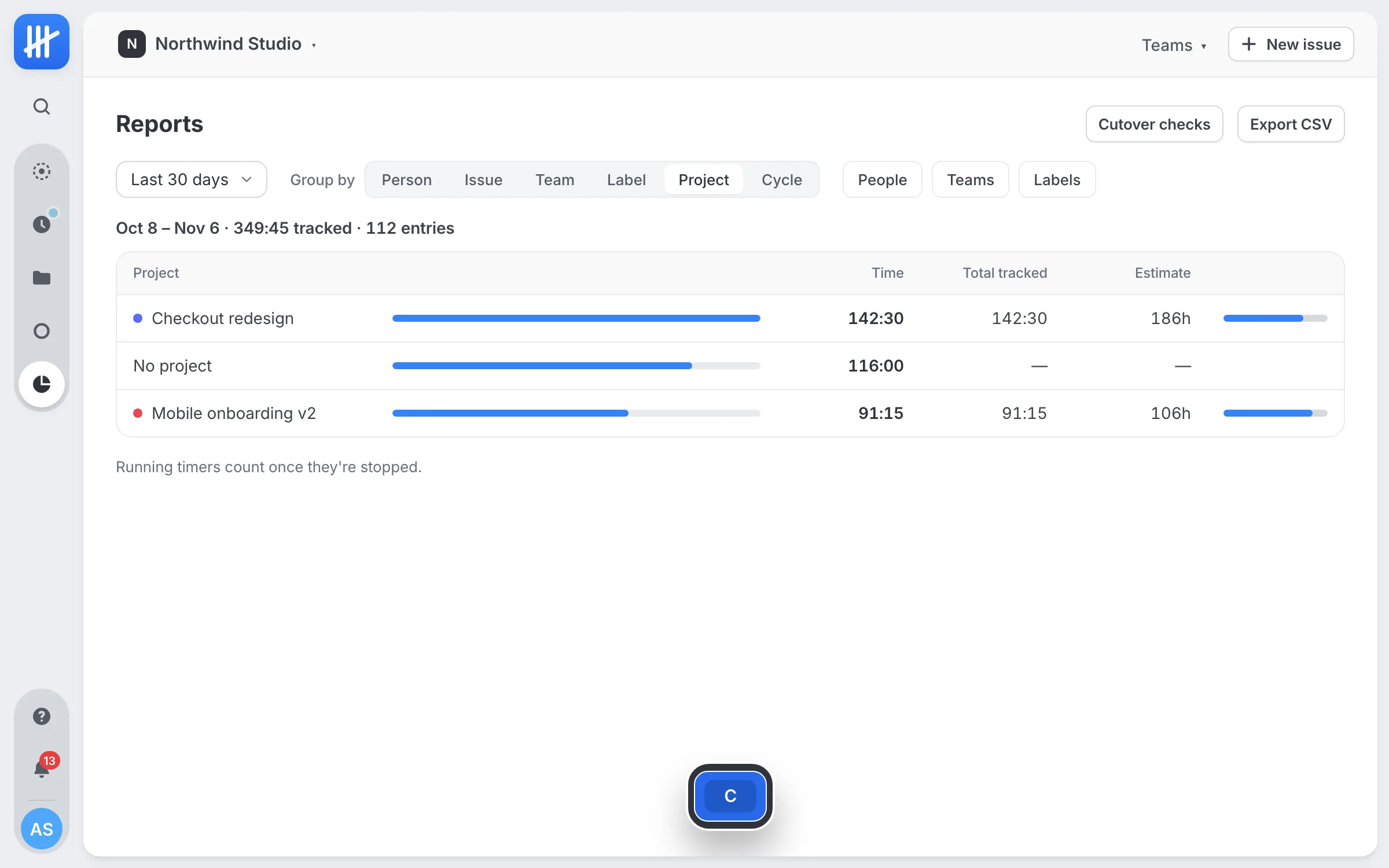
Notch does not have a billable flag, hourly rates or invoicing, so here is how teams handle the split honestly with it. Internal work goes in its own project (or projects), or non-billable issues get a label such as "non-billable" or "warranty". The time report then groups hours by project or by label, filtered to the month, and shows estimates beside the actuals. Export that report as CSV and bring it into whatever you invoice from, where the rates live.
If you want the flag and the rates inside the time tracker itself, a dedicated tracker is the better fit. As of November 2026, billable rates in Toggl Track are a Starter plan feature, and Clockify marks each entry billable with a $ toggle, with a per-project default, on its Basic plan and above. If what you want is hours on the issue next to the work, which is why we moved off a separate tracker (the story is in replacing Linear and Everhour), keep the classification in projects and labels and let the invoicing tool handle the money.
Whatever you use, the order is the same: agree what counts, record every hour against the work, and let the contract decide the rest.
Questions people ask
Are meetings billable hours?
Meetings with or for a client about their project usually are, under time and materials. Internal meetings such as company all-hands, hiring and your own sprint rituals for internal work usually are not. Write the rule down so everyone records them the same way.
Is fixing bugs billable?
It depends on the contract and on whose bug it is. Fixing defects in work you delivered during an agreed warranty period is usually not billable; bugs in code you did not write, or found after the warranty ends, usually are.
How do you calculate utilization?
Divide billable hours by available hours for the same period. Available hours are working hours minus holidays and leave, so someone with 140 available hours and 98 billable hours in a month is at 70%.
Do I need to track non-billable hours at all?
Yes. Without them you cannot see utilization, where unbilled effort goes, or what a fixed-price project really cost. Track every hour against an issue, and decide billable or not by the project or label it sits under.